 By Emily Parker
Updated November 2026
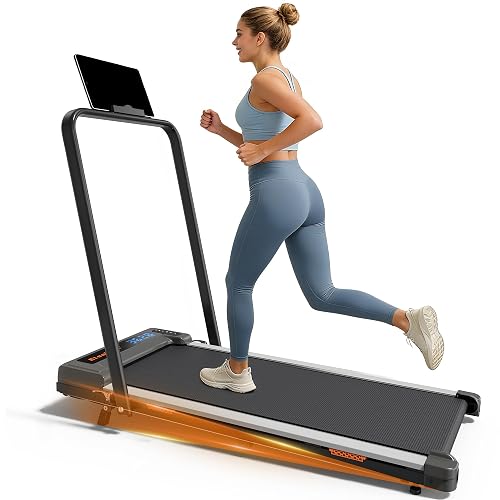
The Urevo walking pad remote lets you start, stop and adjust speed without touching the console. This guide covers what each control does, how to pair or replace the remote, and how to handle the most common problems so you can get back to walking. Setup details can vary by model, so always check your manual first.
What the Urevo Walking Pad Remote Controls
On most Urevo walking pads, the remote mirrors the main console. Expect buttons for start and stop, speed up and speed down, and often a quick-stop or emergency function. Some remotes also let you switch between speed presets or lock the controls. Read the labels on your unit before assuming a function, since layouts differ between versions.
Shopping for one? See our guide: 5 Best Walking Pads with Incline Models for Home Use (2026).
Keep the remote within the line of sight of the receiver on the pad or console. Walls, metal furniture and other electronics can weaken the signal and cause delayed or missed inputs.
How to Pair or Re-Pair the Remote
If the remote stops responding after a battery change or a reset, you may need to pair it again. The general process looks like this:
- Turn the walking pad off at the power switch and unplug it for about 30 seconds.
- Replace the remote batteries with fresh alkaline cells, matching the polarity marks.
- Plug the pad back in and power it on.
- Hold the pairing or start button on the remote as described in your manual until the console indicates it is paired.
- Test each button at a low speed before stepping on the belt.
The exact button combination for pairing is model-specific, so confirm it in the manual or the manufacturer’s support materials.
Troubleshooting a Remote That Stops Working
Most remote problems come down to power, distance or interference. Work through these checks in order before assuming the remote has failed:
| Symptom | Likely cause | What to try |
|---|---|---|
| No response at all | Dead or weak batteries | Replace with a fresh set |
| Works only up close | Signal range or obstruction | Move closer and clear the line of sight |
| Random speed changes | Interference from nearby devices | Move the pad away from routers or other remotes |
| Buttons respond late | Low battery or pairing drift | Swap batteries, then re-pair |
For a deeper look at fixing a non-responsive remote, see Redliro Walking Pad Remote Not Working? 5 Causes and Fixes. Many of the same steps apply across brands.
Using the Remote Safely
Treat the remote as your primary stop control. Before starting, stand on the side rails, not the belt. Start at the lowest speed, and confirm the stop button works before you walk. If the pad ever behaves unexpectedly, cut power at the switch or unplug it. Keep children and pets away from the remote and the running belt.
If you have a health condition, or you are new to walking on a pad, check with your doctor before building up your routine.
Common Mistakes
- Using old or mismatched batteries, which causes intermittent signal loss.
- Pairing the remote while the pad is already running.
- Storing the remote in a drawer where buttons get pressed by accident.
- Skipping the stop-button test before your first session.
- Assuming all Urevo models share one button layout.
Recommended Gear
- Alkaline AA batteries: A reliable power source keeps the remote responsive and reduces random dropouts. View on Amazon
- Floor mat for walking pads: A mat under the pad reduces vibration and helps protect your floor. View on Amazon
FAQ
Why does my Urevo walking pad remote stop working?
The most common causes are weak batteries, distance from the receiver, or interference from nearby electronics. Start by replacing the batteries and moving closer to the pad.
Can I use a universal remote with a Urevo walking pad?
Generally no, because the remote and receiver are paired to each other. If the original remote is lost, contact the manufacturer for a replacement that matches your model.
How do I know whether the remote or the pad is at fault?
Try the stop function on the console itself. If the console responds but the remote does not, the problem is most likely the remote or its pairing.
Conclusion
The Urevo walking pad remote is simple to use once you know what each button does and how to pair it. Keep fresh batteries in place, stay within range, and test the stop function before every session. If problems continue after these checks, contact the manufacturer with your model number.
Related reading
- Urevo 2 in 1 Folding Walking Pad Treadmill: Setup, Use and Buying Steps
- Will a Walking Pad Help Me Lose Weight? What to Expect and How to Use One
Ready to choose one?
About Emily Parker
Emily Parker is part of our editorial team and reviews and edits our treadmills & walking pads guides, checking product details against manufacturer specifications and owner feedback.